Everything Tchaku does — in one window.
Three tools presenters used to juggle — a motion editor, a live-audience platform and an AI deck generator — collapsed into one local-first studio, on macOS or in your browser.
Five jobs. One studio.
A canvas built for motion and data.
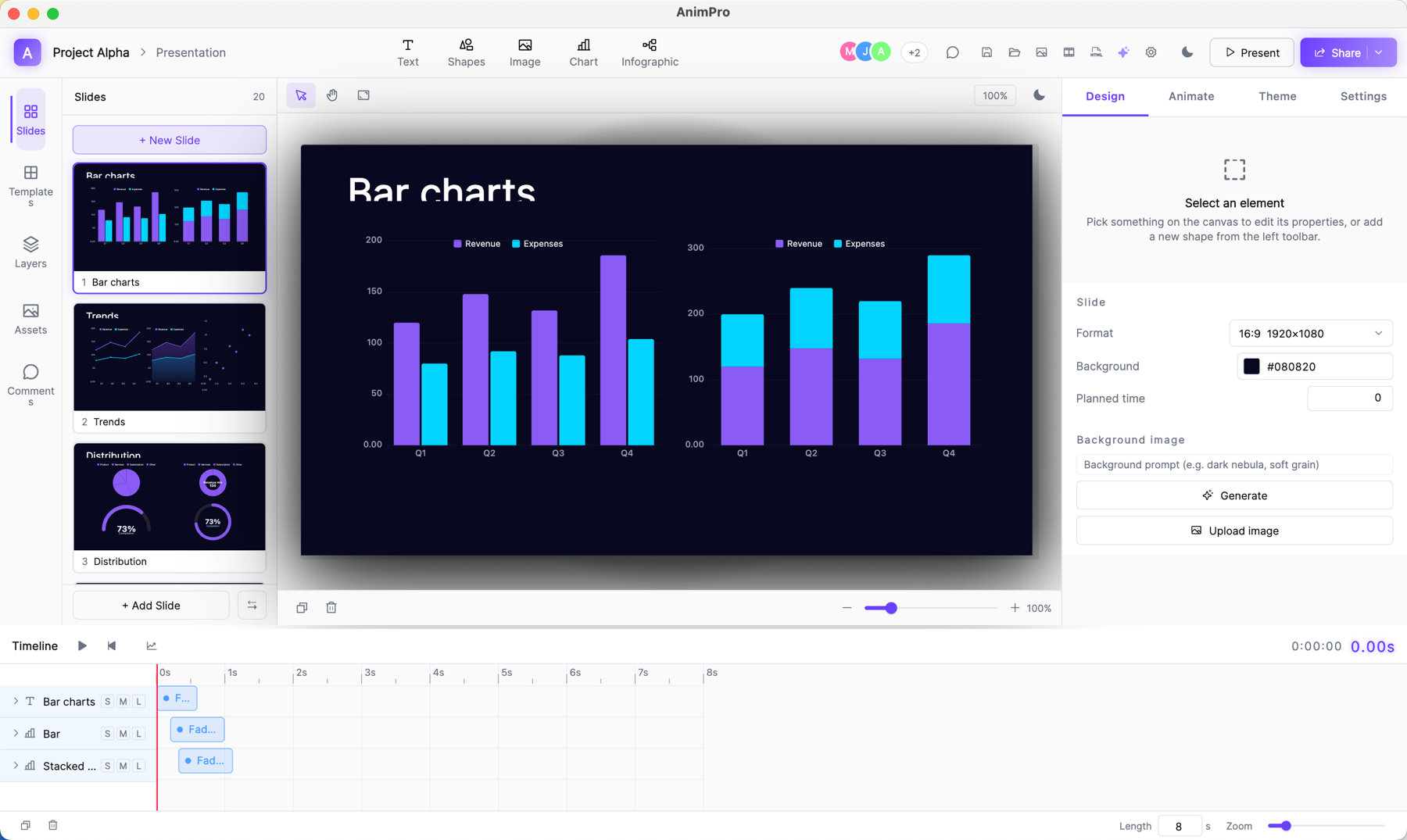
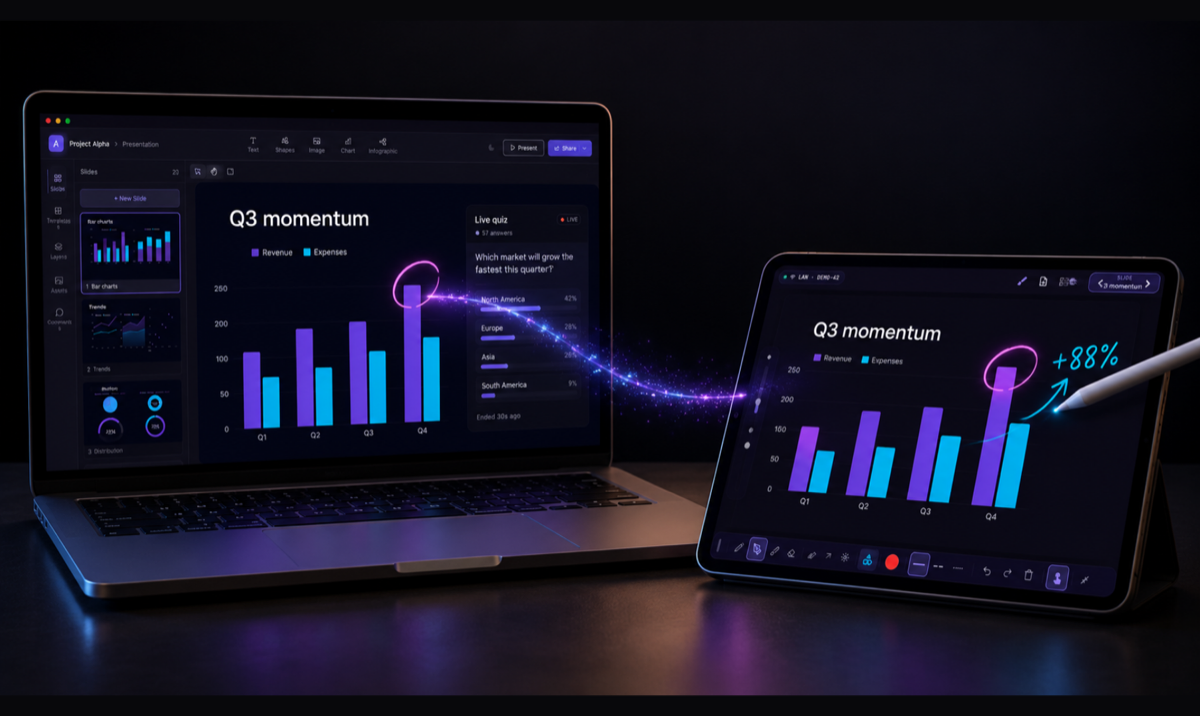
Drag, snap, align — then keyframe. The same canvas handles a bar chart, a SWOT, a funnel, an org chart, and a 3D-flip title build, with a timeline below that animators will recognize.
- 40+ chart & infographic types — bar, line, donut, funnel, org chart, mind map, SWOT, branch hub
- 12 motion effects — path, 3D flip, physics, morph, glitch, typewriter and more
- Local-first .tch files — decks live on your machine, not in someone's cloud
Polls, quizzes, word clouds — as slides.
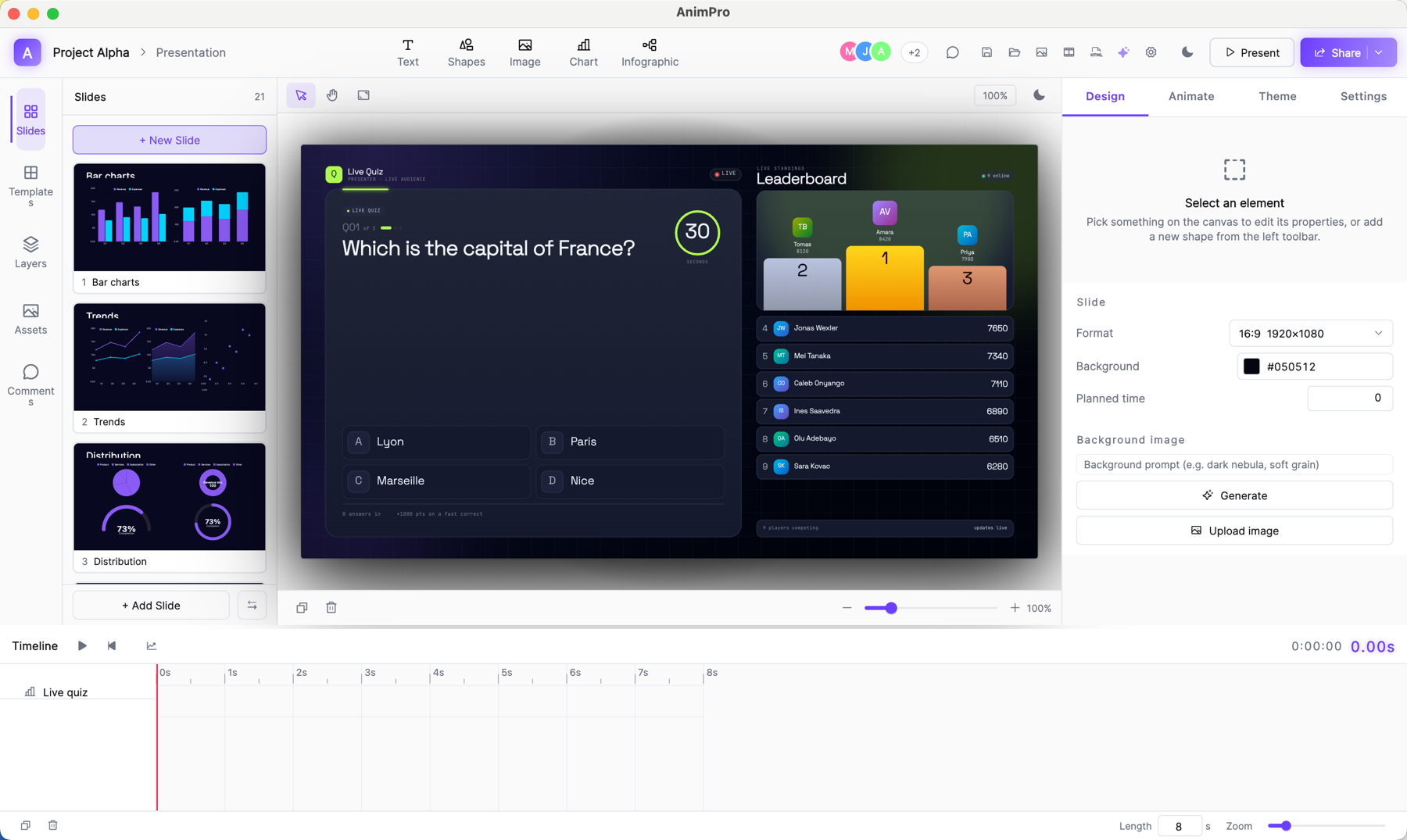
Insert a Live Poll, Quiz, Word Cloud, Leaderboard, Scale, Ranking or Open-ended slide from the picker. The room joins by QR. Answers stream in mid-deck and animate onto the stage. When you advance the slide, the session ends — clean.
- Seven live-audience slide types — poll, quiz, word cloud, leaderboard, scale/rating, open-ended, ranking
- QR-only join — no account, no app install — your audience just scans
- Scoring + leaderboard — live quiz keeps score; the leaderboard is its own designed slide
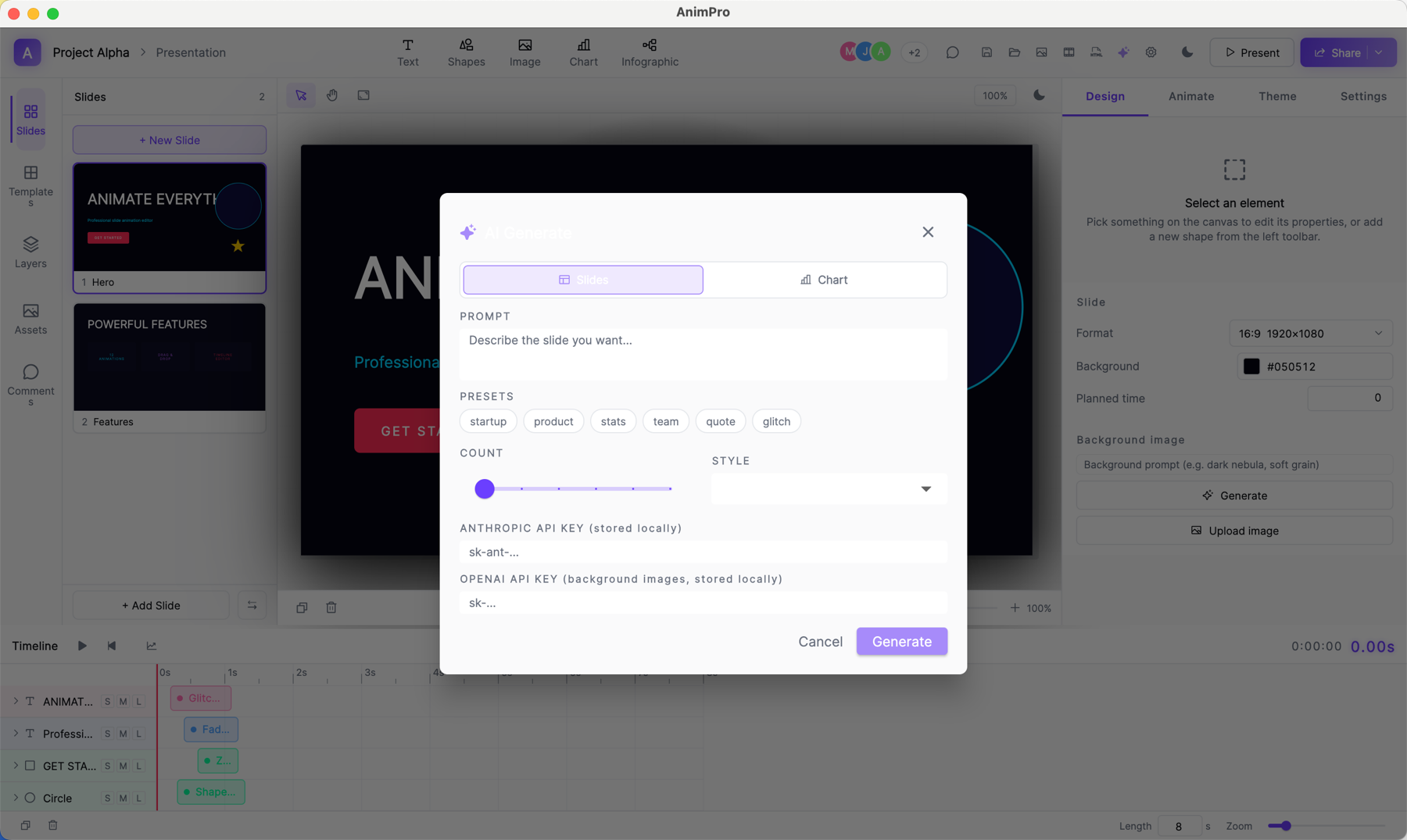
Describe the slide. Get the slide.
Tell Tchaku what you want. Claude drafts layout, copy, colors and animation as actual editable elements — not an image — plus AI images, narration and 3D models. Tweak anything afterwards; it's just a slide.
- Slides, charts, images, voice & 3D — describe it; it drafts as editable elements
- Multi-model under the hood — Claude · gpt-image-2 · OpenAI TTS · Meshy
- Credit-metered — no keys to manage — every plan includes monthly AI credits
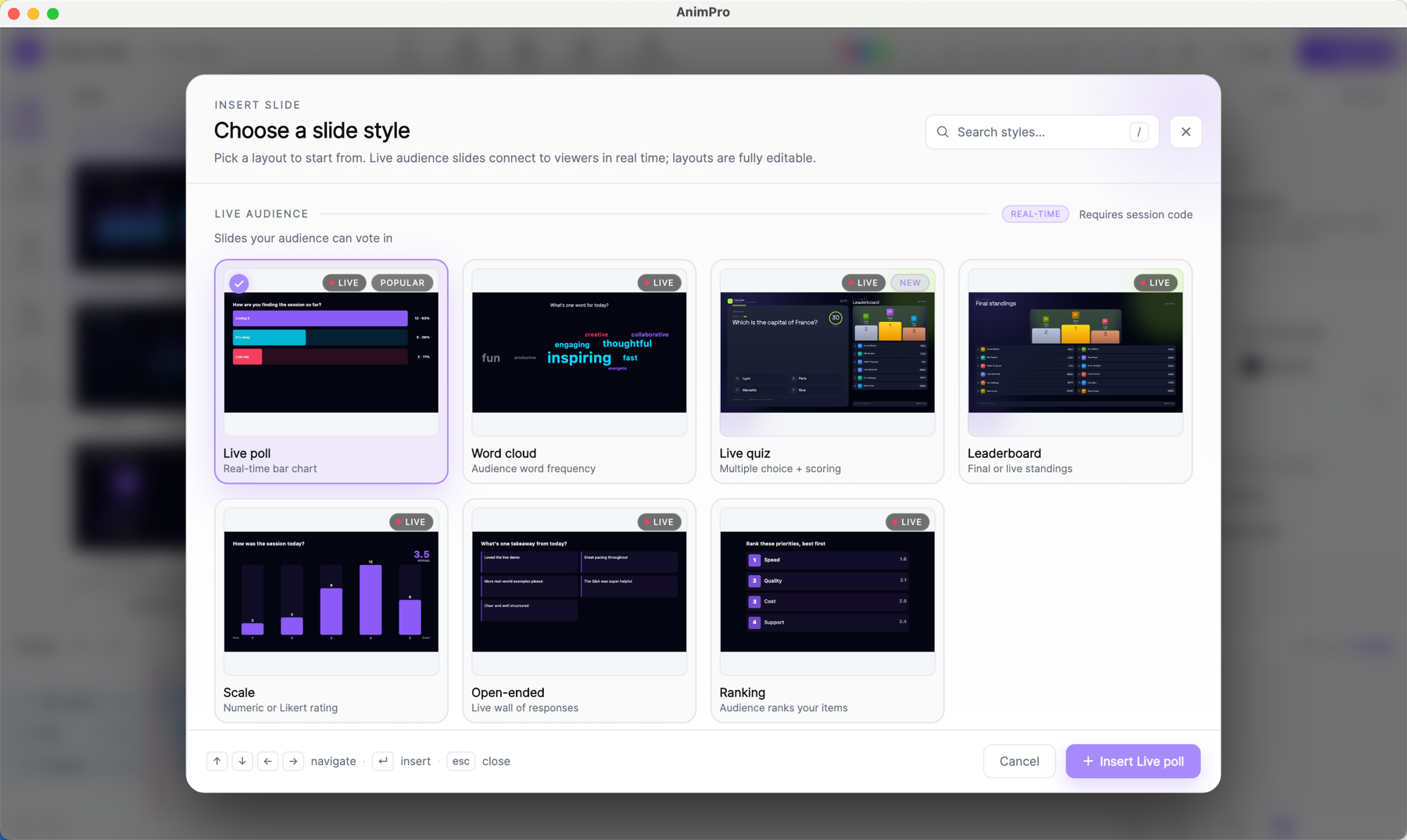
Start from a real template, not a wireframe.
Every slide style — chart, infographic, live audience, layout — is a real, designed starting point. Pick one, drop it in, edit on the canvas.
- Premium live-audience designs — the deck family you're looking at right now
- Searchable picker — categorized, filterable, keyboard-navigable
- Animated previews — see how a slide moves before you insert it
Annotate live, straight from your iPad.
Pair the Tchaku Pen app on iPad and mark up any slide with Apple Pencil while you present. Pressure-real ink, highlighter, brush, shapes and a laser pointer — every stroke streams to the Mac and the projector in real time over your local network, then saves into the deck so it's there next time and in every export.
- Apple Pencil, pressure-real — pen, highlighter, brush, shapes, eraser, laser pointer
- Live to the Mac + projector — strokes stream over your LAN in real time, with per-slide layers
- Saved into the deck — annotations persist and export to PPTX, PDF, HTML and PNG
40+ ways to chart your story.
Every chart and infographic type is a real, editable object on the canvas — not an exported image.
Twelve effects, all keyframable.
Mix and layer them on the timeline — every effect is editable right down to the keyframe.
Path
Move an element along a custom bézier route.
3D flip
Rotate in X or Y to reveal a back face.
Physics
Spring, gravity and bounce easing.
Morph
Tween one shape smoothly into another.
Stagger
Cascade a group with offset delays.
Glitch
RGB-split datamosh for hard cuts.
Particles
Emit and scatter particle bursts.
Typewriter
Reveal text glyph by glyph.
Fade
Opacity in or out, any direction.
Zoom
Scale in or out for emphasis.
Shake
Jitter an element to grab attention.
Swing
Pivot and settle like a pendulum.
Seven ways the room talks back.
Each one is a slide type — drop it in, hit present, and the audience joins by scanning a QR code.
Live Poll
Multiple-choice with animated horizontal result bars.
Live Quiz
Timed questions with points for speed and accuracy.
Leaderboard
A designed podium slide — live scores between quiz rounds.
Word Cloud
Open submissions scaled live by frequency on the canvas.
Rating
1–5 scale with a promoters / passives / detractors split.
Ranking
Order options into a multi-segment distribution bar.
Open Response
A moderated wall of free-text answers with avatars.
Your next talk deserves a room that talks back.
Free includes the full editor, all motion, and every live audience type.